- Home
- Products
- OTX-IDE
- HMI Designer
HMI Designer
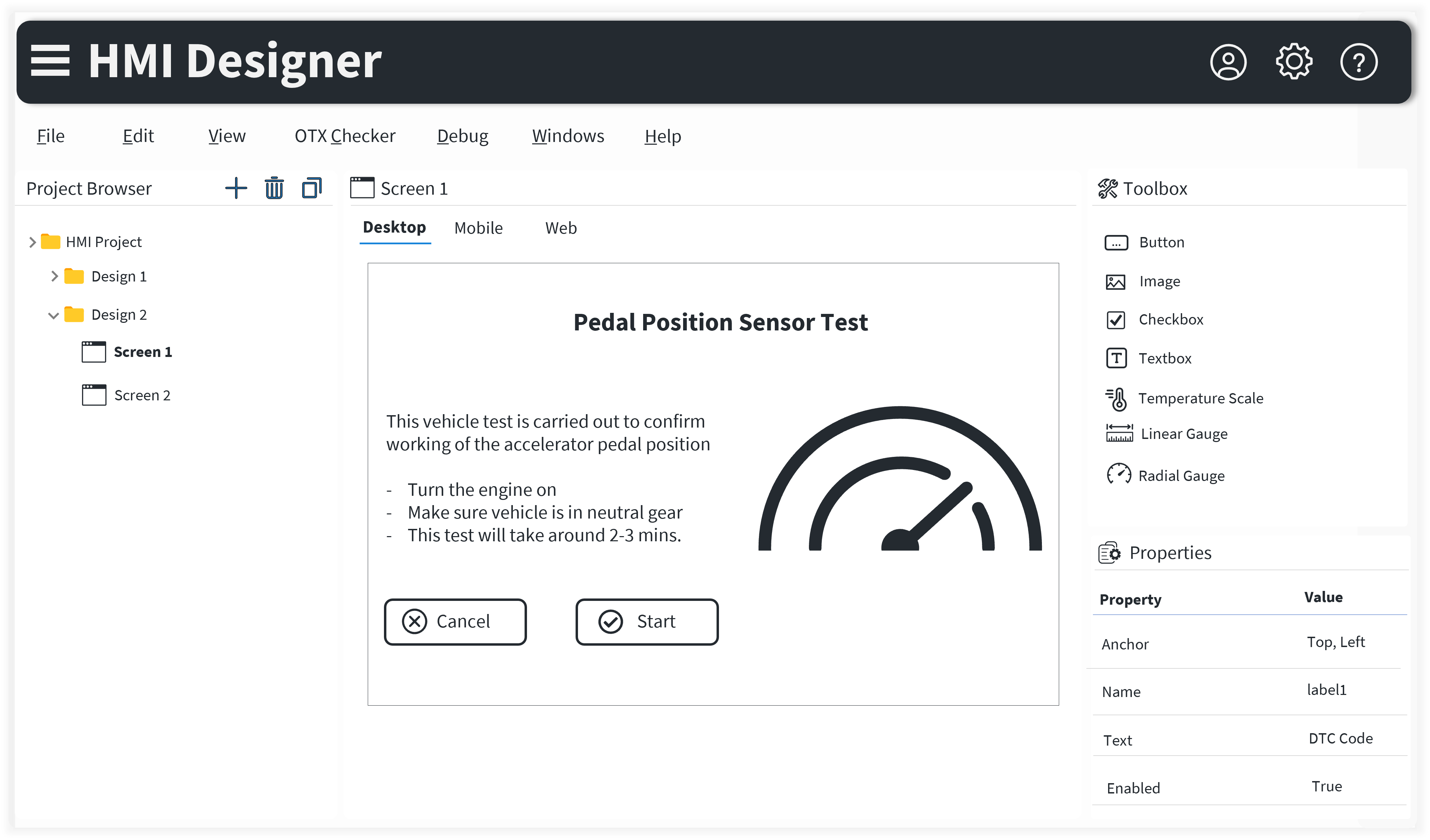
GUI Designer tool to create, modify, maintain HMI screens & link them with OTX test sequences
HMI Designer
Professional GUI Development Platform
Intuitive, powerful, and cross-platform interface design solution
Advanced HMI Design Solution
HMI Designer provides a comprehensive solution for creating, modifying, and maintaining HMI screens with seamless integration to OTX test sequences. The intuitive drag-drop interface makes it accessible to both designers and developers.
With support for multiple platforms including standalone, web, and mobile applications, HMI Designer ensures cross-platform compatibility while maintaining high quality and consistency across all user interfaces.
Key Highlights
Features that make HMI Designer the preferred choice for GUI development
Rich HMI Designer
Rich Graphical User Interface (GUI) creation by drag-drop and its linking with OTX. GUI compatible with standalone, web and mobile applications
Customizable GUI Elements
Flexibility to add custom GUI elements as per OEM use cases
Data Validation
Data integrity, consistency ensured by continuous validation based on custom HMI checker rules
Data Management
Integration with standard version management system & Technvil's Data Distribution System
Debugger & Executor
Execution of GUI based test sequences during development with step by step debugging & monitoring. Remote debugging provides flexibility to debug/test components with diagnostic ability from remote location
Data Import/Export
Smooth import and export of diagnostic and translation data
Report Generation
Integrated report generation for OTX sequence APIs. Auto generation of requirement specifications from OTX test sequences & HMI
Benefits
Advantages that enhance your GUI development workflow
No graphic design skill required
Intuitive interface that doesn't require graphic design expertise
Template based workflow reducing GUI screen designing efforts
Reduce design efforts with pre-built templates and workflows
Accurate GUI screen designing & verification using HMI Preview feature
Preview and verify GUI designs accurately before deployment
Alternate tool for requirement management
Comprehensive requirement management integrated into the design process
Improved productivity, quality and reduced cost
Enhance productivity while reducing costs and improving quality
Frequently Asked Questions
HMI Designer is a GUI designer tool to create, modify, and maintain HMI screens and link them with OTX test sequences, providing a comprehensive solution for creating user interfaces without requiring graphic design skills.
The GUI created with HMI Designer is compatible with standalone applications, web applications, and mobile applications, providing cross-platform compatibility.
The drag-drop interface allows users to create rich graphical user interfaces by simply dragging and dropping elements and linking them with OTX test sequences without writing code.
Yes, HMI Designer provides flexibility to add custom GUI elements as per specific OEM use cases and requirements.
The HMI Preview feature allows accurate GUI screen designing and verification, enabling users to preview and test their interfaces before deployment.
HMI Designer integrates with standard version management systems and Technvil's Data Distribution System for comprehensive data management.
Ready to Get Started?
Transform your automotive diagnostics with our cutting-edge technology solutions
Connect Us